
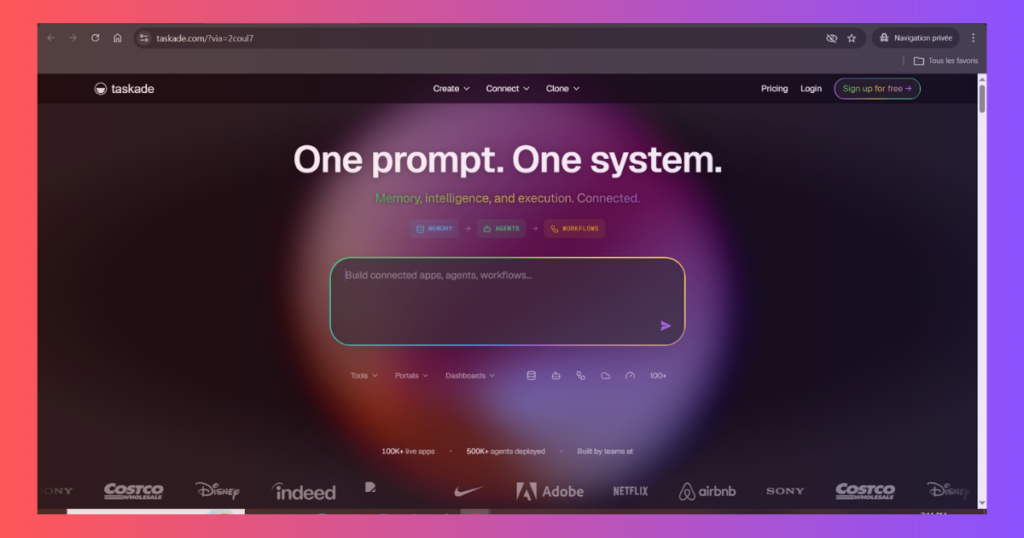
Most productivity tools are stitched together from a dozen separate apps. You get tasks in one place, docs in another, and meetings in a third tool no one uses correctly.
Taskade was built to collapse that stack. Tasks, docs, mind maps, AI agents, and video chat — all in one workspace. We ran it through 60 days of real team use to find out if it actually delivers.
If you’re building a lean operation, Taskade is also a core part of our ultimate solo founder SaaS stack guide — the curated toolkit we’d rebuild from scratch in 2026.
What Is Taskade?
Taskade is an AI-native productivity platform that combines task management, wikis, mind mapping, and built-in video chat into a unified workspace. Unlike Notion, which bolted AI onto an existing structure, Taskade was redesigned from the ground up around AI agents that actively work inside your projects.
The free plan is genuinely usable. The $8/month paid tier removes limits and unlocks the full AI agent layer — making it one of the most competitively priced AI productivity tools in 2026.
Key Features
AI Agents — Built Into Every Workspace
Taskade’s AI agents don’t just generate text. They operate inside your projects: breaking down goals into task lists, researching topics and summarising findings inline, drafting structured documents from prompts, and following up on incomplete tasks automatically.
You can assign an AI agent to a project folder and set its role — researcher, writer, planner, or a custom persona. A project brief turns into a full execution plan, with subtasks and owners, in under two minutes. For solo operators and lean teams, this is a meaningful force multiplier.
Mind Mapping
Every list in Taskade can be toggled into a mind map view in one click. This is not a separate tool — it’s the same data rendered visually. Brainstorm in map mode, then switch to list mode to start executing. No export, no copy-paste, no friction.
Notion has no native mind mapping. Taskade wins this category outright.
Built-In Video Chat
Taskade includes native video chat — you can jump on a call with your team directly inside a project, without leaving the workspace or opening Zoom. Screen sharing is included. For remote teams, eliminating the context-switch between tasks and meetings removes a meaningful source of drag.
Real-Time Team Collaboration
Multiple users can edit any document, task list, or mind map simultaneously. Changes sync in real time with no conflicts. Guest access is supported on all paid plans, and permission controls are clean and easy to configure.
Taskade also includes a dedicated team chat thread per project — keeping communication contextual and searchable without requiring a separate Slack workspace.
Templates & Integrations
- 500+ templates covering product roadmaps, OKRs, meeting notes, content calendars, and SOPs.
- Native integrations: Slack, Google Drive, GitHub, Zapier, Make.
- Taskade API for custom workflows and automation pipelines.
Pros & Cons
✅ Pros
- AI agents built in — not an add-on, core to the platform.
- Native mind mapping — toggle any list to visual map instantly.
- Built-in video chat — no Zoom needed for team sessions.
- $8/month paid plan — significantly cheaper than Notion Plus.
- Generous free plan — unlimited projects and members included.
- Real-time collaboration — no sync lag, no conflicts.
❌ Cons
- Smaller template library — Notion’s community ecosystem is larger.
- Less mature database views — no Gantt or formula fields on par with Notion.
- Lighter enterprise controls — SAML SSO and audit logs require higher tiers.
- Mobile app lags behind desktop — some features missing on iOS/Android.
Pricing
Who Is It For?
- Solo founders & freelancers who want AI-assisted project planning without the Notion learning curve.
- Remote teams that need tasks, docs, and meetings in one tab instead of three apps.
- Content teams & agencies that run brainstorming and execution in the same workflow.
- Startups looking for a Notion alternative at a third of the price with native AI baked in.
Not for: Teams needing Notion-level database complexity, enterprise compliance controls, or a massive third-party template ecosystem.
Verdict
Taskade earns its 4.5 score by doing something Notion still can’t: putting AI agents, mind mapping, and video chat natively inside the same workspace where your tasks live.
At $8/month, it undercuts Notion Plus and ships features Notion charges extra for or doesn’t offer at all. For founders, remote teams, and content operators who want less app-switching and more AI leverage — Taskade is the sharpest Notion alternative in 2026.
Looking to pair Taskade with the right email, funnel, and content tools? See how it fits into the best tools for entrepreneurs in 2026 — a full stack we’ve tested and priced under $50/month.
Rating: 4.5 / 5